
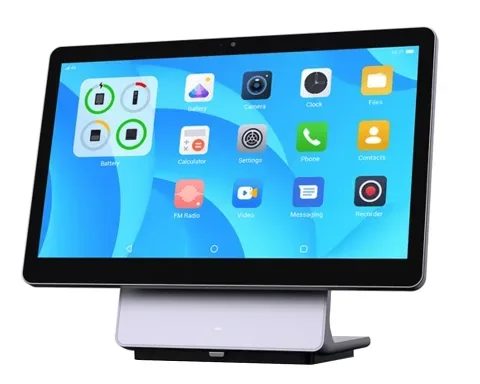
PAX Elys Workstation L1400
A 14-inch countertop POS that pairs with any card reader we sell.
$595
Ask us about it PAX Elys Workstation L1400Restaurant POS system
Ring up cash and card sales and see every order in one list. Appetier POS is included in Growth at no extra cost, with no hardware to buy.
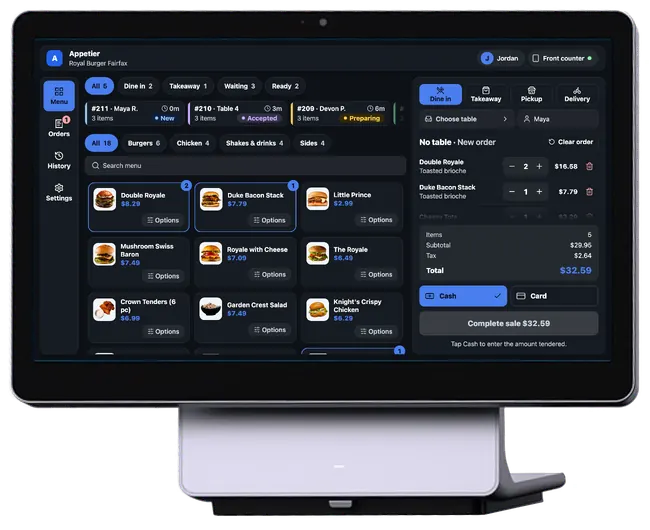
See the register
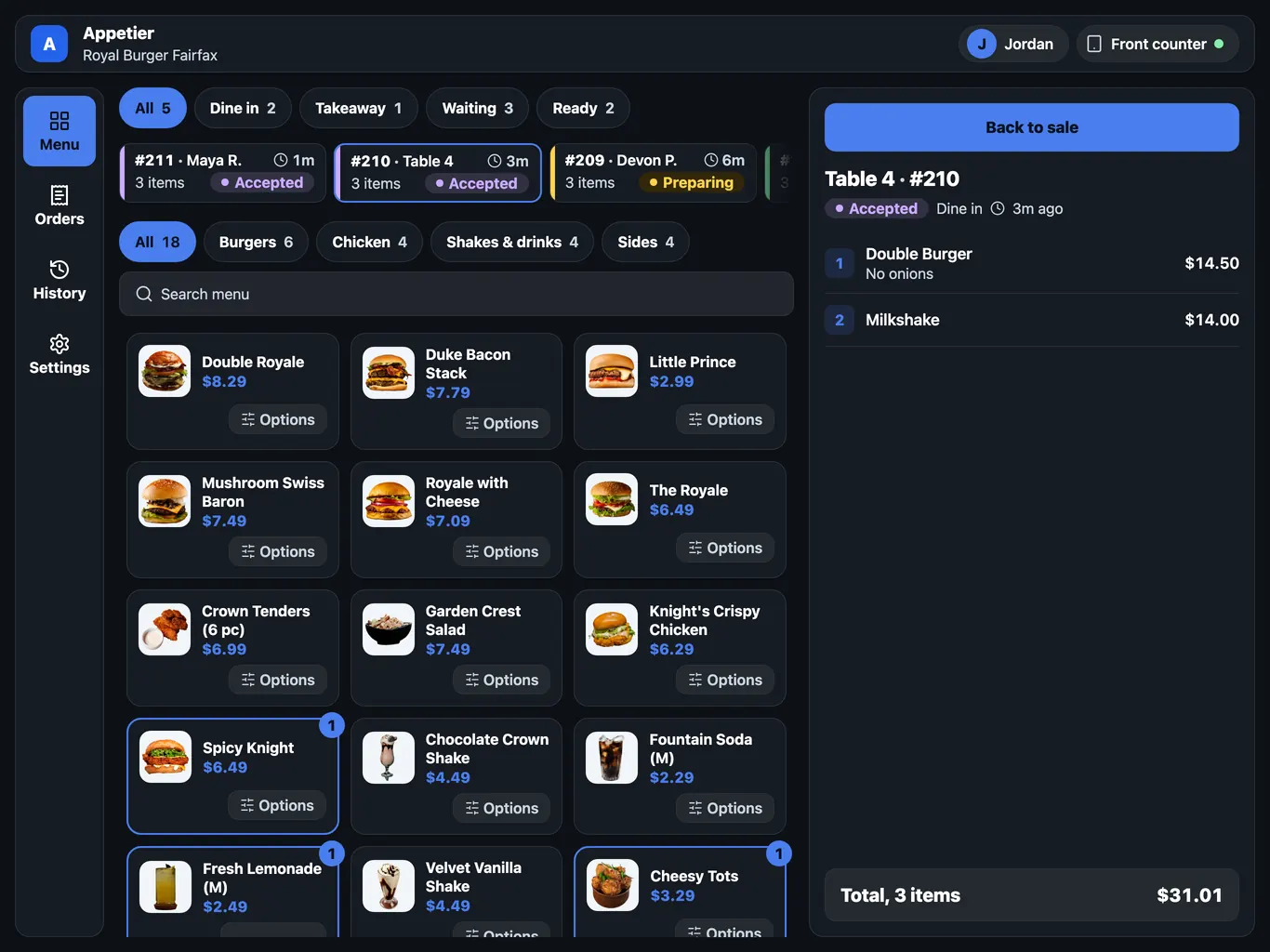
Screens from the Appetier POS, on a sample restaurant menu.
Tap items to build the bill. Every amount sits on its own line, and a removed item can be undone for 8 seconds.
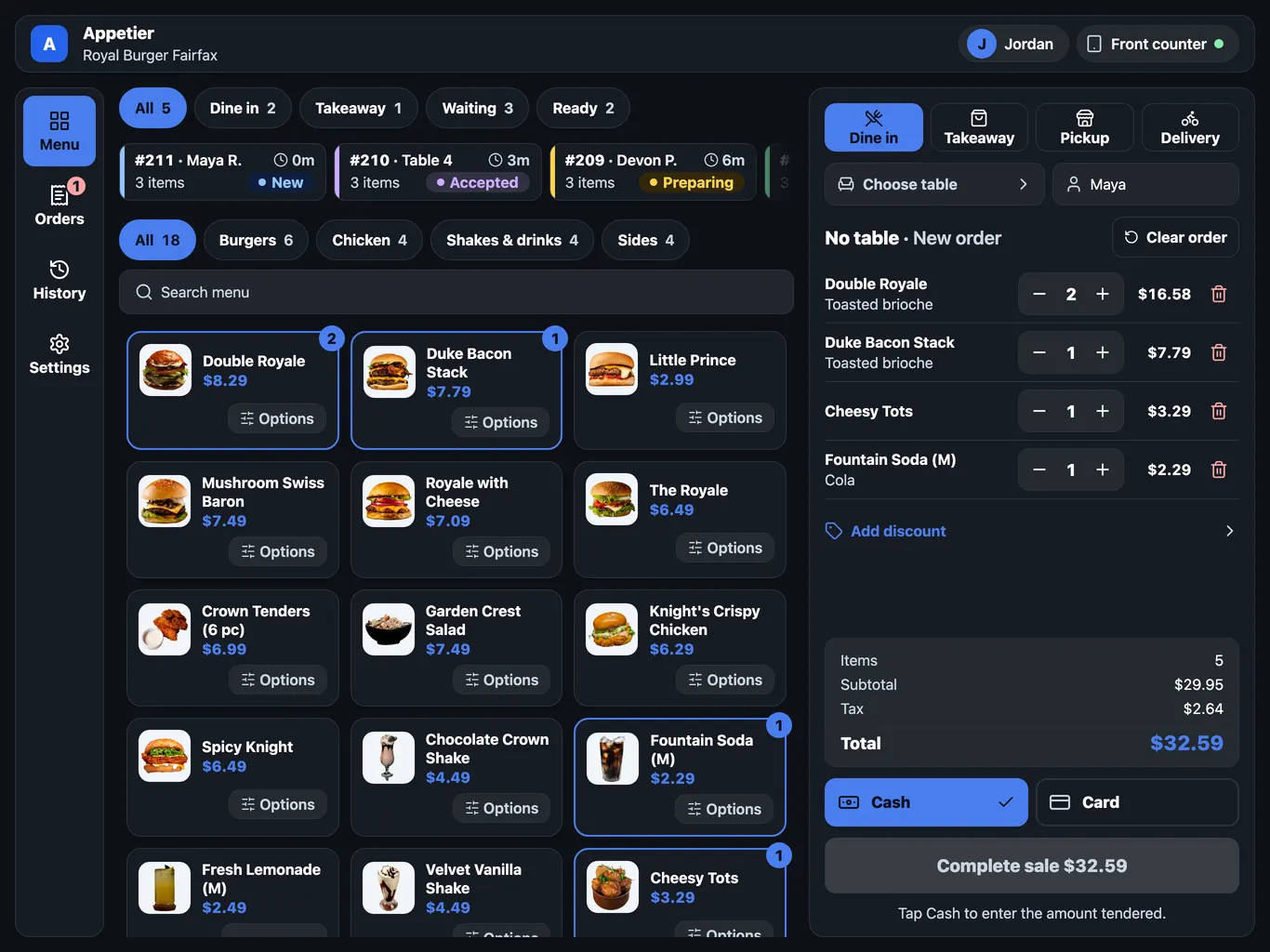
Cash asks for the amount handed over, with an Exact key and rounded amounts, then shows change due. The sale can't finish while the amount is short.
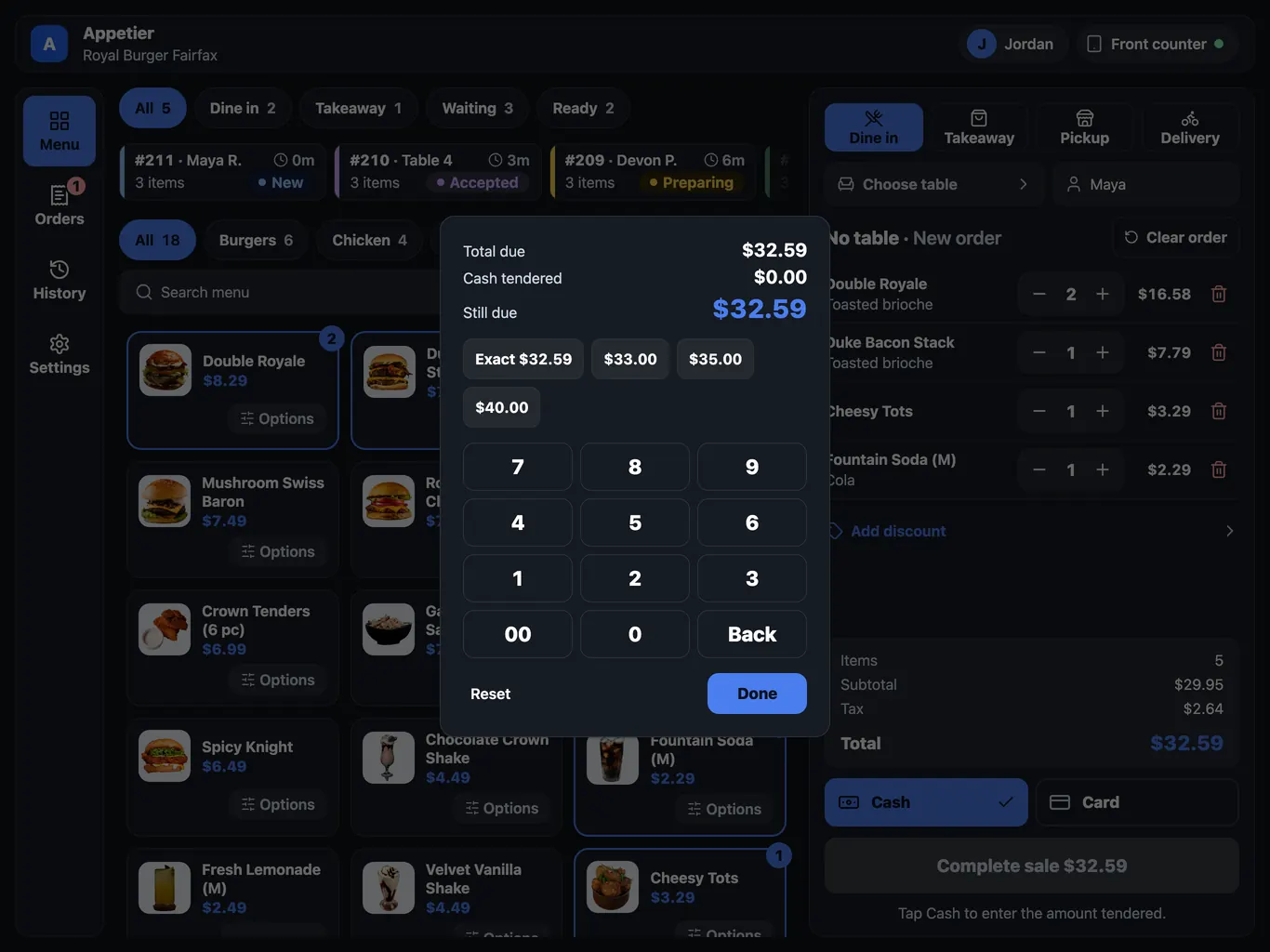
Open orders sit above the menu with their number, table or guest, item count, and status. Tapping one shows its items and how long ago it came in.
A shift runs better from one list.
What a counter needs, with each limit beside it.
01
Web, app, scheduled, kiosk, and in-store orders sit in one list. Staff accept, mark preparing or ready, or cancel with a reason. A chime sounds until someone accepts a new order, and one left too long shows as late.
02
Pause online ordering for 15, 30, or 60 minutes, or add 10, 20, or 30 minutes to prep time. Mark an item sold out from the counter. Checkout follows all three.
03
Every category and item is a large tile on the screen. The bill reads like a receipt. Undo lasts 8 seconds. A sold out tile is greyed and can't be added.
04
Quick keys hold what you sell most. Type a number first to set the quantity. Card and Cash are one tap each. Keys change only when a shift opens, so tiles stay put through service.
05
Comp an item with a reason, add a note, or park an order and come back to it. A comp above your limit needs another manager's PIN.
06
Print receipts on a standard receipt printer. A drawer plugged into the printer pops open on a cash sale, and the console shows expected and counted cash each shift. Printing keeps working offline.
07
Sell for cash or card at your menu prices. Cash keeps working offline and goes through when the connection returns. A card sale needs a connection and a card reader, and carries the card fee.
08
Pick a layout for a dining room with split checks, a bar with tabs, a food truck, a mobile bar, catering, or a private event. Staff sign in by name and PIN, so each sale names who rang it. A device uses one layout at a time, switched in Settings.
09
A guest shows a wallet code, the cashier scans it, and their rewards appear to apply. The register needs a connection. It sees the rewards only, never a name, email, phone, or balance. A guest can reissue a shared code.
Use a tablet you already own. The menu is the one you run in the console.
01
In the console, pick the location and make a register code. It works once and expires in ten minutes.
02
Once the tablet takes the code, your menu is on the screen, with its prices and sold out items.
03
Give each person a name and a PIN. Add a receipt printer if you want paper, and pick the layout that fits how you serve.
Items, prices, and sold out status come from the console, so there's one menu to keep right. Take a test drive to see yours.
Connecting a POS is optional. If yours accepts orders, they print there. If it only shares its menu, prices and sold-out items stay matched and orders run on Appetier's order screen.
What owners ask before a tablet becomes a register.
The PAX Elys Workstation L1400 is a countertop POS with a 14-inch touchscreen. It has no card reader built in, so it pairs with any reader we sell.
A 14-inch countertop POS that pairs with any card reader we sell.
$595
Ask us about it PAX Elys Workstation L1400Order these readers from your console at the store price to take cards on Appetier Pay. Your tablet, printer, and cash drawer stay yours.
Where orders start, and what Growth includes.
01
Prices and sold-out items stay in step with the POS you keep.
See POS syncPut a register on a tablet you already own
The register comes with Growth. Test drive your own restaurant first, with no card and no call.
