
Marketplace orders
A delivery aggregator for restaurants: one queue, printed in your POS
DoorDash, Uber Eats, and Grubhub orders land beside your direct ones and print in your POS as tickets. Appetier adds no commission or markup to them.
Works withSquareShopifyToastCloverDoorDashand any system that gives you API access
A tablet for each marketplace crowds the counter
The marketplaces bring the orders. Handling them on separate screens is where they get missed.
- Each marketplace has its own screen and its own alert sound.
- Someone re-keys marketplace tickets into the POS mid-rush.
- An 86 has to be repeated on every tablet.
- Prep times get set in each app and fall out of step.
- Reporting means an export per marketplace and a spreadsheet.
Your kitchen works one ticket flow, whatever the source
Appetier takes over the jobs that used to need a tablet each.
01
Orders print in your POS
Marketplace tickets enter your POS with items and modifiers already mapped. Nobody re-keys them.
02
One sold-out flag
Mark an item sold out once, and it comes off every connected marketplace.
03
Prep times set once
Quote times in one place instead of once per app.
04
Orders slow down when the kitchen backs up
When tickets pile up, Appetier promises new orders a little later, then pauses the marketplaces for a short while. It starts once it has learned your prep times, and you set how long it may pause in a day.
05
Orders filtered by source
Direct, app, and marketplace orders sit in one list. Filter by source when you need to.
06
Fees beside each order
Revenue and volume by channel in one report. Upload a marketplace payout file, and its fees sit next to the orders they came from.
07
A price for each marketplace
Set your menu price for each marketplace, and Sous suggests small increases for the hours and items that are busiest there. Nothing changes until you say yes, and your own site and app prices never move.
Connections that alert you instead of failing quietly
Sous watches each marketplace connection after setup.
01
Menu mismatches get flagged
When a marketplace item stops matching your menu, Appetier tells you which one.
02
A dropped connection raises an alert
Your team gets an alert when a marketplace connection drops, so a quiet screen doesn't pass for a slow night.
A test order on each marketplace proves the mapping
Most of the care goes into matching items and modifiers.
01
Connect each marketplace
Authorize the DoorDash, Uber Eats, and Grubhub accounts you already sell on.
02
Map items and modifiers
Match each marketplace's menu to yours. Most mapping mistakes get caught here.
03
Run test orders
Send one through each marketplace and check the ticket that prints.
04
Retire the extra tablets
Once tickets print correctly, the marketplace screens can go.
Marketplaces for new guests, your own site for regulars
01
One menu feeds every marketplace
Change a price or a dish in your POS, and each marketplace menu follows.
See POS sync02
A direct way for regulars to reorder
Regulars reorder on your own site at 5%, capped at $199 a month per location.
See online ordering03
App orders join the same ticket stream
Orders from your branded app reach the kitchen the same way marketplace tickets do.
See branded appsStart with your own storefront, then connect the marketplaces
The test drive builds your direct storefront from your own site, with no marketplace connected. After you start free, connect DoorDash, Uber Eats, or Grubhub. A test order on each proves the ticket prints.
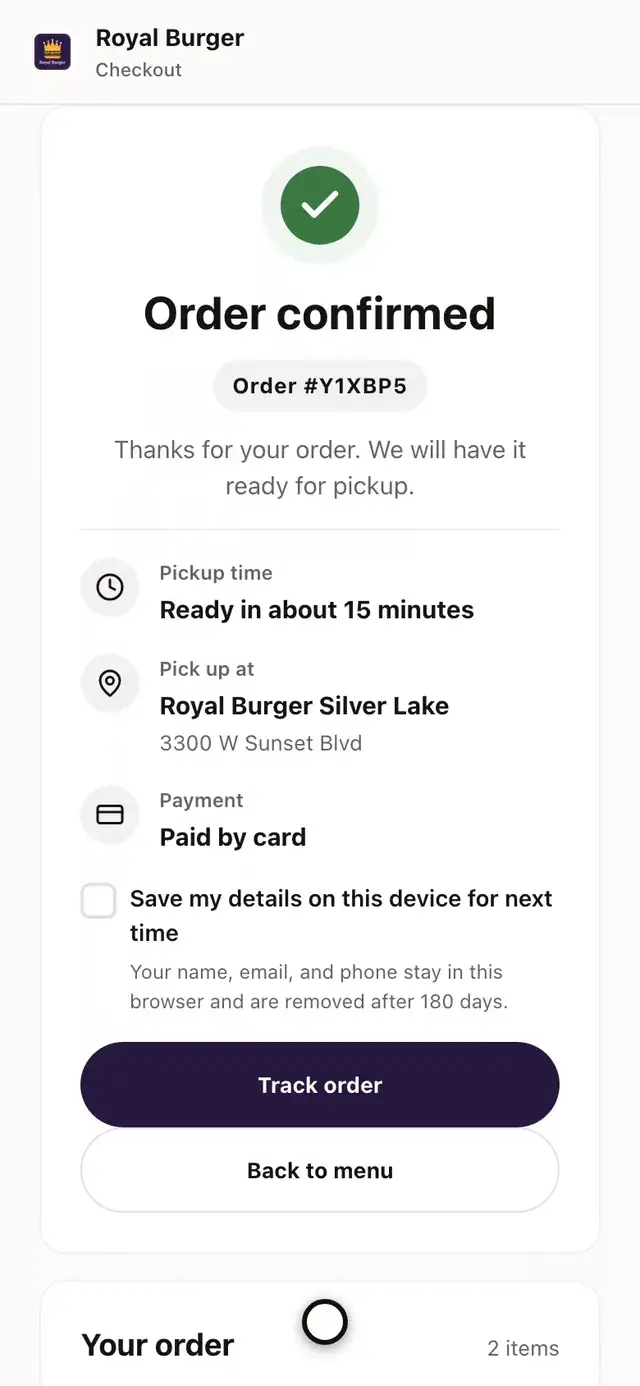
- Open the burger
- Pick the bun
- Add the fries
- Add it to the order
- Pick the store
- Go to checkout
- Place the order
- See it confirmed
Your POS and DoorDash, connected
Marketplace tickets print in your POS, next to your web orders. The integrations page lists every marketplace we connect.
- Square
- Shopify
- Toast
- Clover
- Revel
- Micros
- DoorDash
Marketplace order FAQs
Questions about connecting marketplaces and what it costs.
Do we have to leave the marketplaces?
Do our marketplace agreements change?
Which platforms are supported?
Can we set a different price on each marketplace?
What happens to marketplace orders when the kitchen falls behind?
Does this need new hardware?
Does Appetier charge a fee on marketplace orders?
Running both channels
More on running marketplace and direct ordering side by side.
01
Cost per order worksheet
What each order costs on each channel, and how to run both.
See the worksheetKeep every marketplace, and lose the extra screens
Marketplace orders carry no Appetier commission or markup, so connecting them costs nothing extra.