
Restaurant marketing
A restaurant CRM that wins back lapsed guests
Appetier emails and texts guests who have gone quiet, then shows what each campaign earned. You decide how much it sends on its own.
Works withSquareShopifyToastCloverDoorDashand any system that gives you API access
Most restaurant marketing never gets written
The hard part is finding time to write it and knowing who should get it.
- Writing the text is the job nobody has time for.
- The guest list is a spreadsheet from last year.
- Everyone gets the same offer at the same time.
- You can't tell which message brought a guest back.
- The discount goes to guests who were coming anyway.
A restaurant CRM that runs on your orders
Set the rules once. New orders keep every guest group current.
01
Guest groups from real orders
Group guests by how often they order, what they spend, and what they keep coming back for.
02
Email, text, and push together
All three run from one console, with one guest record behind them.
03
Full guest profiles
Every order, visit, and reward in one view. Staff can answer a guest on the phone without digging.
04
Revenue, not opens
Each campaign shows the direct orders it brought back. You choose how long after a message an order still counts.
05
Two subject lines, judged by orders
Give a campaign email two subject lines, or ask Sous for the second. When the audience is big enough to split, a small part gets each one, and a day later the rest get the line that brought more orders.
Your regulars hear from you without you writing a word
Winbacks, lapsed-guest nudges, first-order follow-ups, and birthdays go out when they're due. Sous writes each message, and your limits decide what it can offer.
01
Pause it anytime
Read each message before it goes, or let it send inside your limits. One switch pauses all of it, though a sent message can't be pulled back.
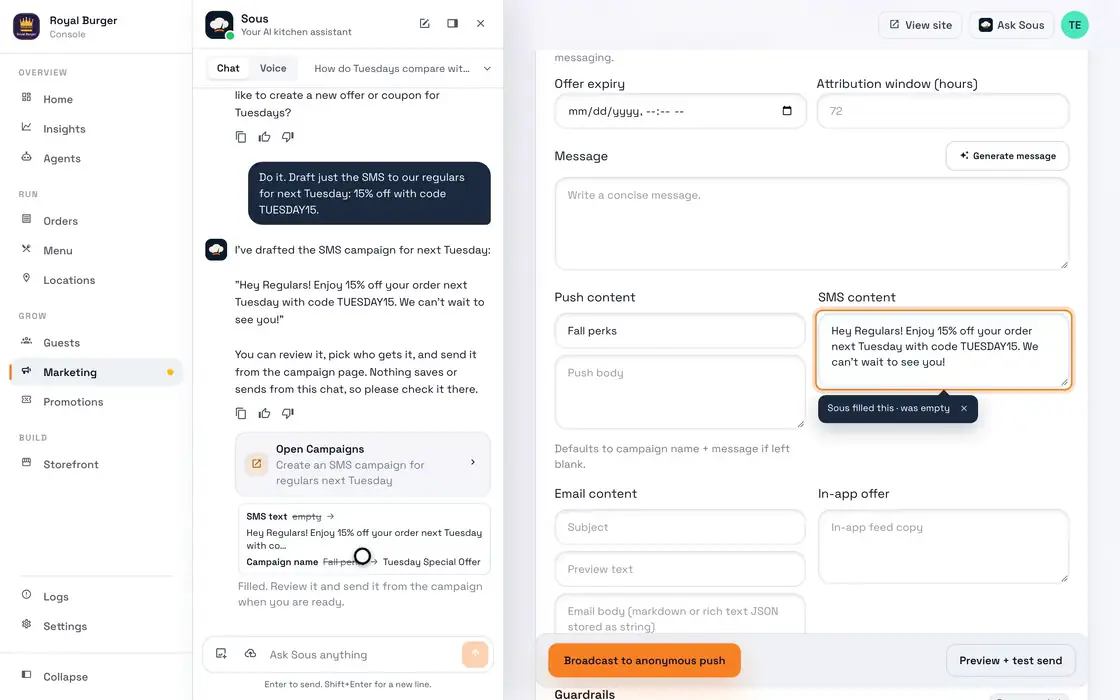
- Ask how Tuesdays compare
- Ask for the SMS
02
Limits it can't cross
Set the largest discount, the most messages per guest, and whether it sends email, text, or push.
03
A promotion for your slowest shift
Your order history shows which shifts run slow. Sous drafts a promotion for the next one, and it goes out only once you say yes.
04
Mother's Day, drafted ahead
Holidays and food days get a post and a campaign written before the week arrives. Switch off any day your restaurant doesn't mark.
05
Quiet hours
Messages due during service wait until the window you set.
06
A welcome series after the first order
A guest's first order can start a short series of messages over the next two weeks, written by you or by Sous. It stops the moment they order again or opt out, and its emails count toward the marketing emails in your plan.
07
Ads that answer to orders
Sous runs your Google, Facebook, and Instagram ads inside a monthly cap you set, and each ad links to your own ordering site. It pauses campaigns and keywords that cost more than they earn and shifts bids toward the hours your guests order.
A one-off offer goes out when you say so
The winbacks run by themselves. A special night or a new dish starts with a short brief from you.
01
Pick who you're talking to
Lapsed, frequent, high spend, or anyone who ordered a particular item.
02
Describe the offer
Sous writes the email or text from your brief, and you edit anything you want.
03
Send it when you're ready
A one-off campaign never sends by itself. Orders show up against it as they come in.
Every winback lands on your own checkout
01
Rewards worth coming back for
Points and rewards give a winback something to offer besides a discount.
See loyalty02
Push that costs nothing to send
Guests with your app get the offer on their lock screen.
See branded apps03
A reward waiting at checkout
The link in the message opens your ordering page with the reward waiting.
See online orderingSee where your winbacks will land
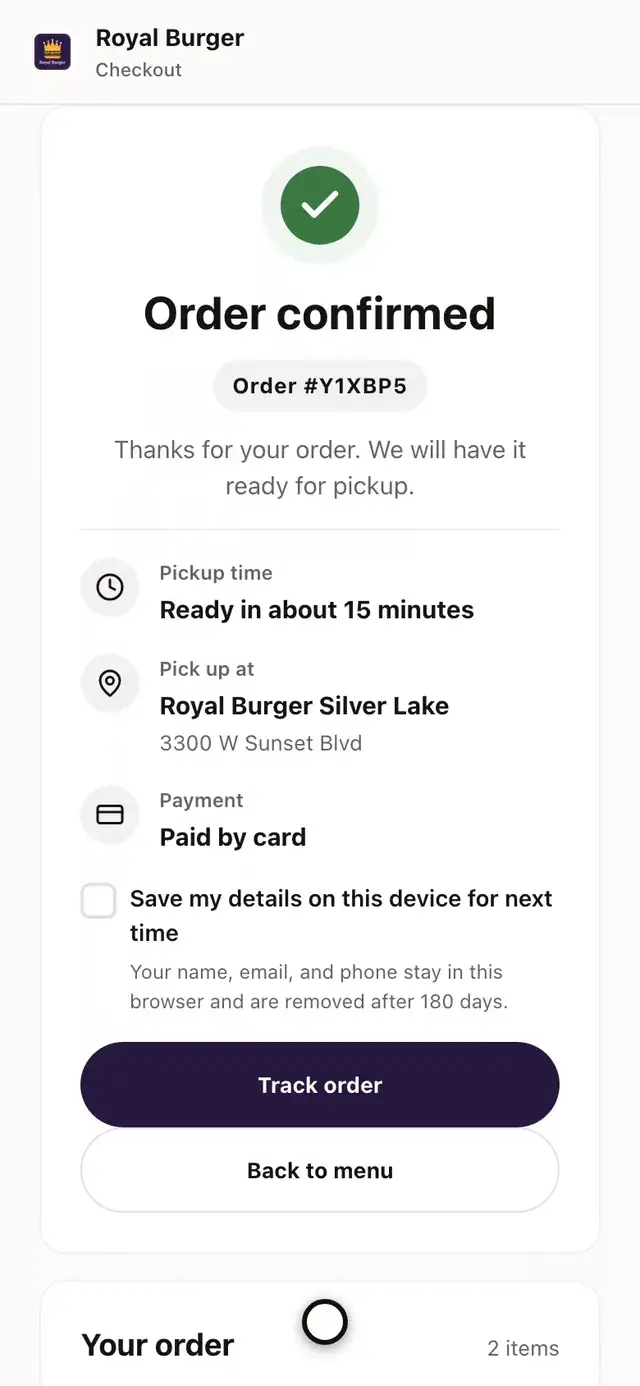
Every winback links to your own checkout. The test drive builds that checkout from your website, so you see it first. Campaigns start after you go live, inside the discount limit you set.
- Open the burger
- Pick the bun
- Add the fries
- Add it to the order
- Pick the store
- Go to checkout
- Place the order
- See it confirmed
Campaigns built on your POS and order data
Guest records come from your POS and your direct orders, and campaigns run on those real orders.
- Square
- Shopify
- Toast
- Clover
- Revel
- Micros
- DoorDash
Restaurant marketing FAQs
Questions about lists, texts, and what Appetier can send.
What is a restaurant CRM?
How much does a restaurant CRM cost?
Can we import existing guest lists?
Does Appetier support SMS?
Does Appetier support push campaigns?
Can we measure campaign ROI?
Can we A/B test email subject lines?
Does Appetier run Google and Instagram ads for restaurants?
Do you offer templates?
Can we automate winbacks?
Does this work for multiple locations?
More on campaigns
How to build the guest list, plan 90 days of sends, choose restaurant software, and see how Appetier compares.
01
Building a customer database
The fields a guest record needs, where each comes from, and the ten groups with their rules.
See the customer database guide02
Marketing calendar template
Plan 90 days of campaigns around your slow weeks, with a filled-in row and its math.
See the marketing calendar03
Choosing restaurant software
A 100-point scorecard, and the questions to ask on a demo.
See the buying guideSend the campaign you keep meaning to write
Brief one winback and see which regulars come back.