
Restaurant SEO
Restaurant SEO software that ends at your checkout
Sous does the restaurant SEO that keeps your Google Business Profile current. Guests who search for you order straight from your own site.
Use Appetier POS, included in Growth, or keep your POS: with write access, it takes the orders.
An out-of-date listing turns searchers away
Getting found is half the work. The other half is what your listing says when they arrive.
- Your listing shows last season's hours.
- There's no link to order from you directly.
- The menu on Google is a PDF from two years ago.
- Your locations compete with each other in search.
- Holiday hours go up late, or not at all.
- Keeping any of it current is nobody's job.
Search results that show your real menu
Location pages and posts come from the hours and menu you already keep.
01
A page for every location
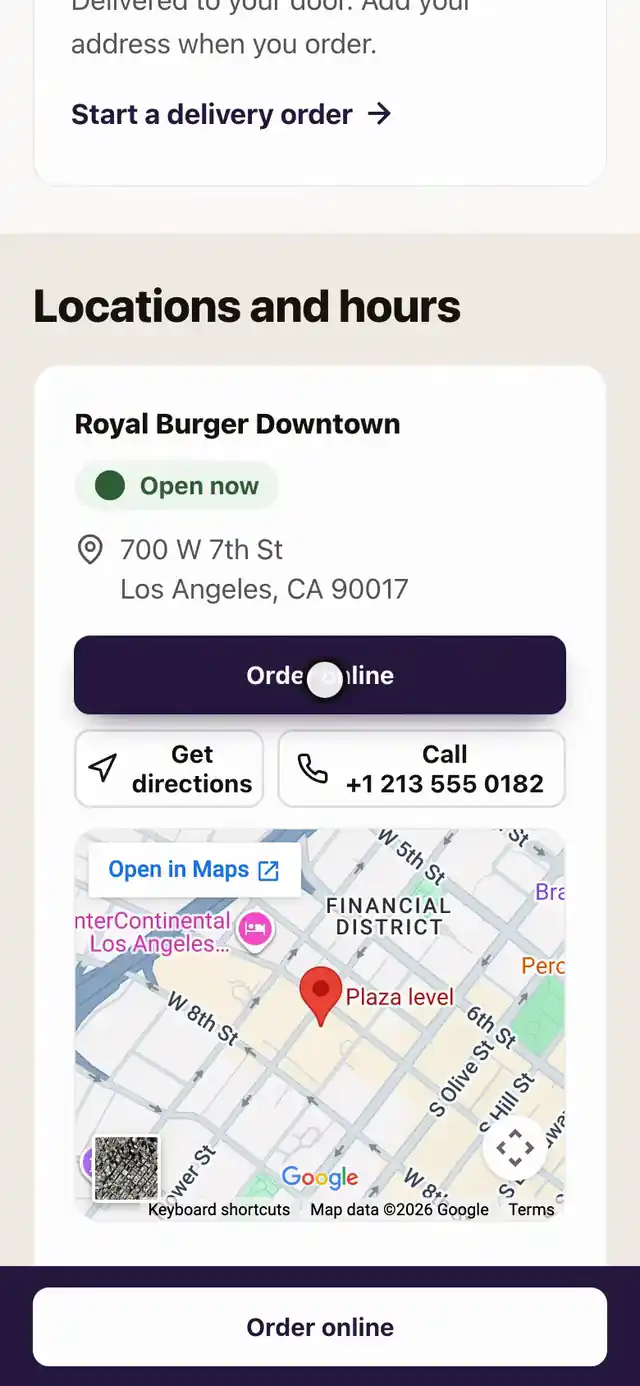
Each location gets its own page with address, hours, and menu. Every page ends at your checkout.
02
Prices Google can show
Google reads your items and prices as a real menu, not a PDF, and can show them in search results.
03
Posts with this week's menu
Posts go out on a schedule with your current dishes and offers. Nobody writes the weekly update.
04
Today's special, entered once
Type a special once. It shows on your site, Google listing, and social accounts, then comes down. The price is shown, not charged online.
05
A review ask after every direct order
Guests who opted in get one link to your Google review form after they order. Nobody is picked by how happy they seemed, and no reward is offered.
06
Dish reviews from guests who ordered
Guests who ordered a dish rate and review it, and Sous drafts your replies. A low rating is never hidden, and the stars may not show in Google results.
07
Your Google reviews on one page
One page shows Google reviews, review count, and reply rate by location, with a Sous summary of what guests praise and complain about. It reads Google only. Other review sites get a link.
Your Google Business Profile gets checked every week
It looks for wrong hours, missing holiday hours, a broken order link, and stale photos. You choose how much Sous fixes on its own.
01
Hours that match your POS
Hours, holiday hours, and categories are checked against your POS. Anything that stops matching gets corrected.
02
An order link that works
The order button on your listing points at your own checkout. A missing or broken link gets put back.
04
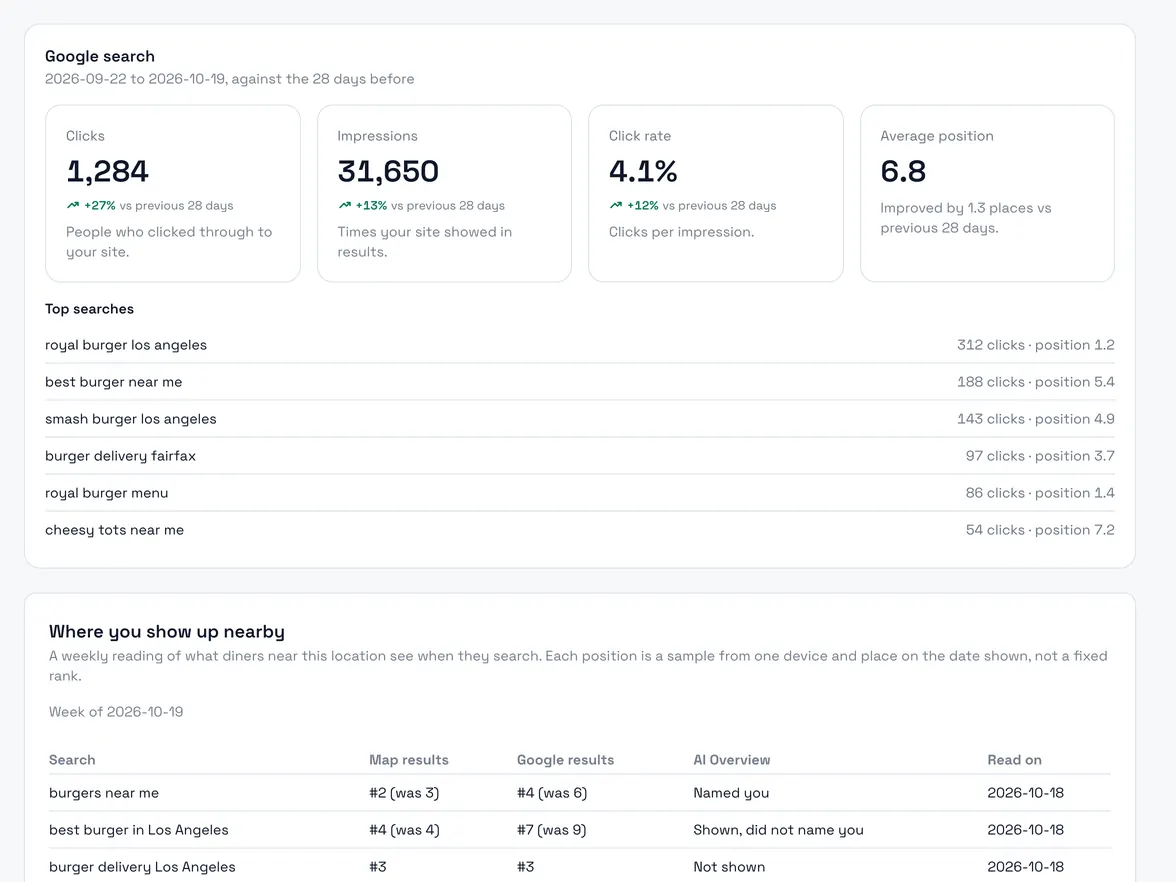
A weekly reading of where you show up
Each week Appetier checks where every location shows up on Google, on the map, in Google's AI answers, and in an AI assistant. The check is weekly, not live. It only reports, and Sous suggests any change.
Add each location once and the pages follow
Your listing keeps itself current after that.
01
Add your locations
Addresses, hours, and menus come from one source instead of five.
- Open the hours
- See the week
- Order online
02
Read the pages
Each page is ready for Google. Check it and fix any detail in the console.
03
Watch where the clicks land
Rankings and clicks sit next to the direct orders they brought in.
Turn searchers into regulars
A search visit is worth more when it ends in an order and a new loyalty member.
01
Search clicks land on a real order page
Guests who tap your order link reach ordering that matches your POS.
See online ordering02
Loyalty from the first order
Guests who find you in search can join loyalty while they pay.
See loyalty03
A reason to order a second time
A guest who came from search and went quiet gets a winback.
See restaurant marketingYour own site and listing, checked in about a minute
The test drive builds a storefront from your website. Sign up with an email at your own domain and the console opens with no card. Any other address saves a card first, and saving charges nothing. The free audit checks where your order button goes, how fast your site loads on a phone, and what Google shows.
Hours and prices change once
Change hours or a price in your POS and the listing picks it up. No second place to edit.
Restaurant SEO FAQs
Questions about Google, location pages, and how soon search moves.
Do you manage Google Business profiles?
Will this replace our website?
How do location pages stay accurate?
Can we edit a page's title, description, and share preview?
Do you build a page for each neighborhood?
Does this help with reviews?
Can I see where my restaurant shows up in local search?
How long until we see results?
Measure what local search brings in
Speed scores we measured, how Appetier compares, and a free report on your own site.
01
Restaurant website speed
Speed and search scores we measured on five national brands.
See the speed results02
Audit your Google Business Profile
Ten checks you can run in ten minutes, and the gaps Sous fixes with your approval.
See the profile audit guide04
Score your current listing and site
A free report on what Google shows, then a private preview of your restaurant on Appetier.
Audit your website05
Local SEO playbook
Fix your Google listing and give each location a page that takes orders.
See the local SEO playbook
Send searchers straight to your checkout
Connect your Google Business Profile and its order button opens your storefront. Nothing is charged until direct orders come in.