
Online ordering
A restaurant online ordering system your regulars will actually use
Restaurant online ordering where regulars reorder in a tap. Appetier builds your storefront from your website or a menu photo, live in minutes.
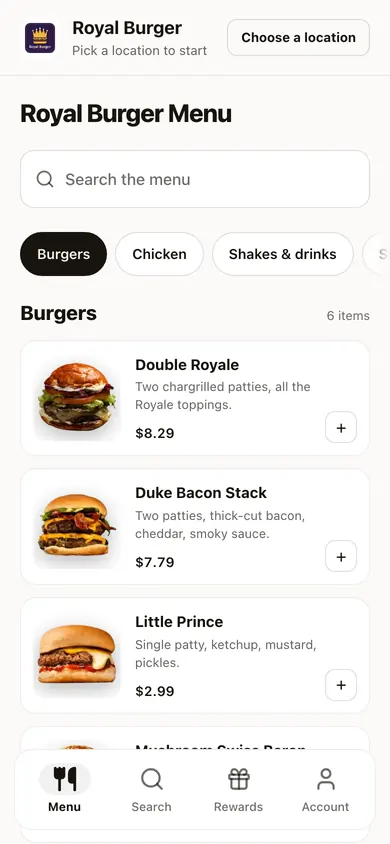
Why guests abandon a restaurant online order
They wanted your food. A small gap sent them elsewhere, and each one has a fix:
- Stale prices. One menu, published in about a minute.
- Retyping a card. Returning guests have it saved.
- Sold out, still orderable. A POS 86 closes the item online.
- Hard to read on a phone. Built for a thumb first.
Regulars get through checkout in a few taps
Built for the guest who already knows what they want.
01
Short checkout
Returning guests skip the typing. Their card and address are saved.
02
One-tap reorder
Favorites and a reorder button for the guest who gets the same thing every Thursday.
03
Loyalty inside checkout
Guests earn and redeem on the order they're placing, and see their balance while they choose.
04
Branded web and app
Guests order on your own web address, and their sign-in emails come from your brand too. They can save the site to their home screen.
05
Order tracking
Guests see order status on their phone instead of calling.
06
Curbside pickup
Guests pick curbside at checkout and tap "I'm here" when they pull up. Arrivals show in your console, not on the kitchen tablet. Nothing tracks the guest's location.
07
Calories and nutrition on the menu
A dish shows calories and nutrition once you enter or confirm the numbers. Appetier works out none, and an unconfirmed number stays hidden.
08
Popular dishes, from real orders
Dishes guests reorder or order most get a plain badge once enough real orders back it. Turn badges off for the whole store.
09
Order from the table
Guests scan the code on their table, order, and pay on their phone. The table number reaches the kitchen.
10
Screens for the kitchen and the wall
Tickets from every channel land on one kitchen tablet. A menu board shows live prices and a code to order.
Upsells and menu checks run while you cook
Guests see add-ons that fit their order, and you hear about menu gaps before they do. Appetier can also test two versions of a page, and results wait for enough orders. You choose how much it does on its own.
01
Add-ons that fit the cart
Suggestions come from what guests order together, the time of day, and a signed-in guest's past orders. Offers you set by hand show first, and you can switch suggestions off.
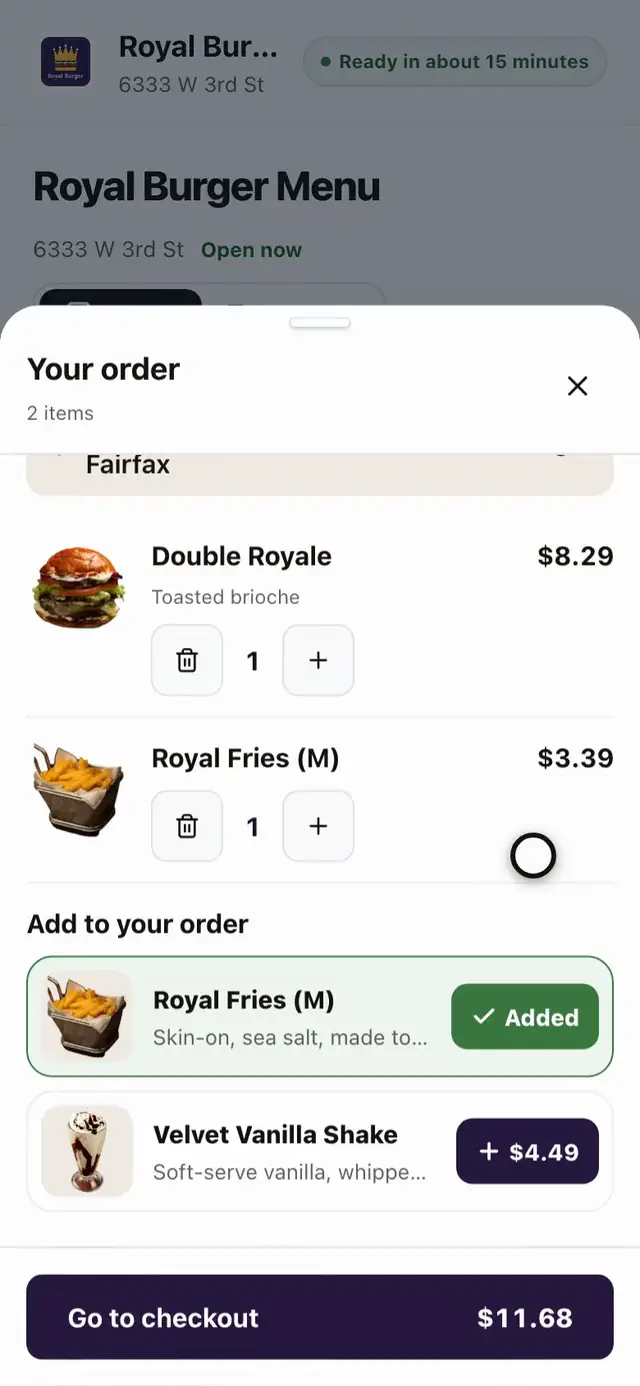
- Open the order
- Add the fries
02
A drink, a side, and a dessert in one tap
One tap adds all three. Members can earn extra points for a bigger order, up to a limit Appetier sets, and the cart shows how close they are.
03
Missing photos and allergens flagged
Items with no photo or allergen info get marked, so you fix them before a guest asks.
04
Fees and prep times stay current
Delivery fees and prep times come from your POS settings, so online orders show current numbers.
Your website or a menu photo opens your storefront
No designer to hire, no menu to type. A POS is optional and keeps your menu matched on its own.
01
Start from your site or a menu photo
Appetier reads your menu and colors off your website. Or Sous takes colors from your logo and reads the menu off a photo. A PDF menu with photos keeps each dish's photo.
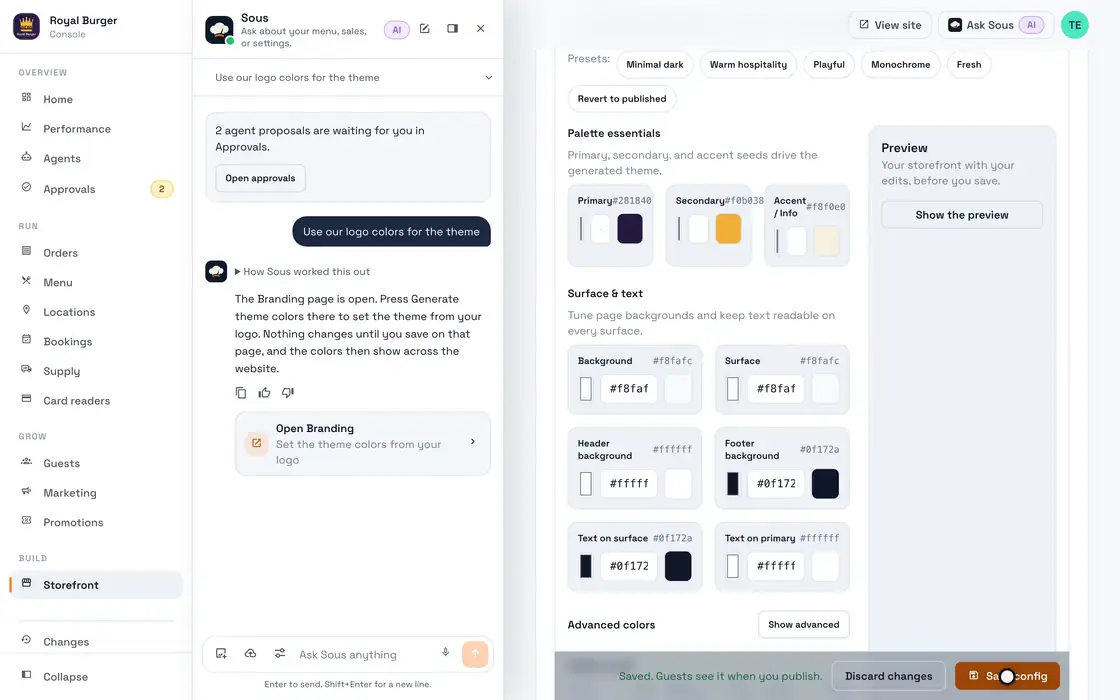
- Ask Sous for the logo colors
- Open Branding
- Pull colors from the logo
- Save the theme
02
Fix what it misread
Every item waits in a draft. Fix a wrong price or a merged modifier before anything publishes.
03
Choose how you sell
Pickup hours, delivery zones, prep times, and which upsells show at checkout.
04
Open the storefront
It goes live at your own web address with loyalty already on.
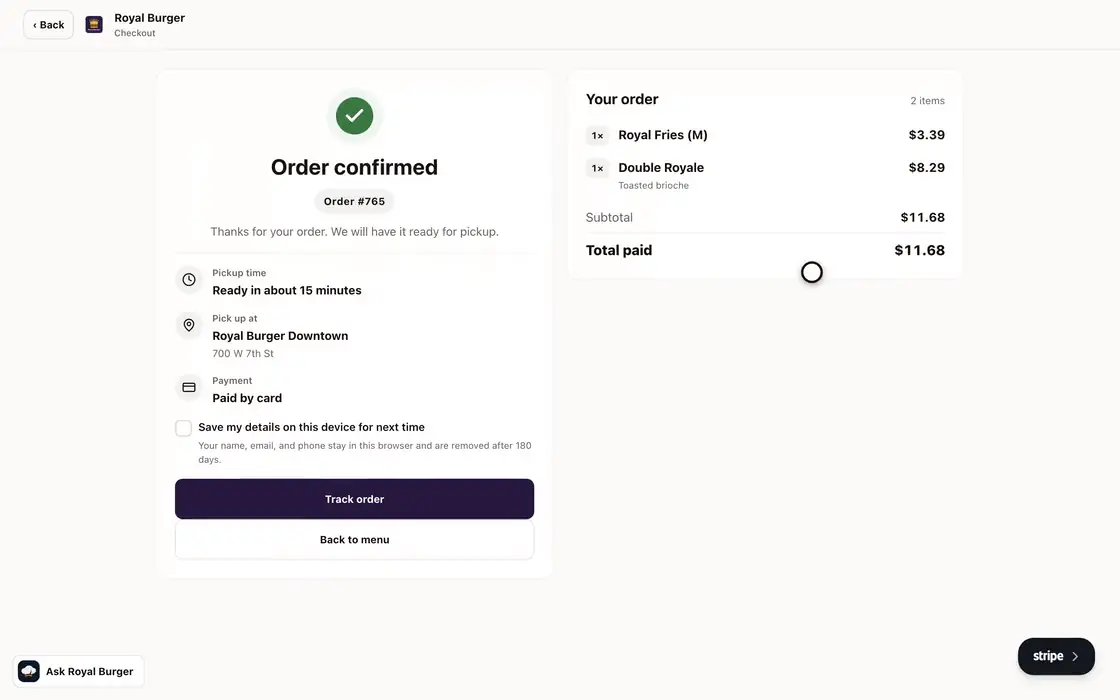
- Open the burger
- Pick the bun
- Add the fries
- Add it to the order
- Pick the store
- Go to checkout
- Place the order
- See it confirmed
One menu behind the storefront, the apps, and Google
01
An 86 in your POS closes the item online
Mark an item sold out in the POS and it comes off the storefront before anyone orders it.
See POS sync02
Searches for your name end at this checkout
Your Google listing and location pages link straight to the storefront.
See restaurant SEO03
The same checkout as your own app
Your iOS and Android apps come from the same logo and menu photo. Push to the lock screen is free to send.
See branded appsChange a price without calling anyone
Ask Sous for the new price, save, and publish. About a minute later guests at every location see it, unless a location set its own. The test drive builds this storefront from your site.
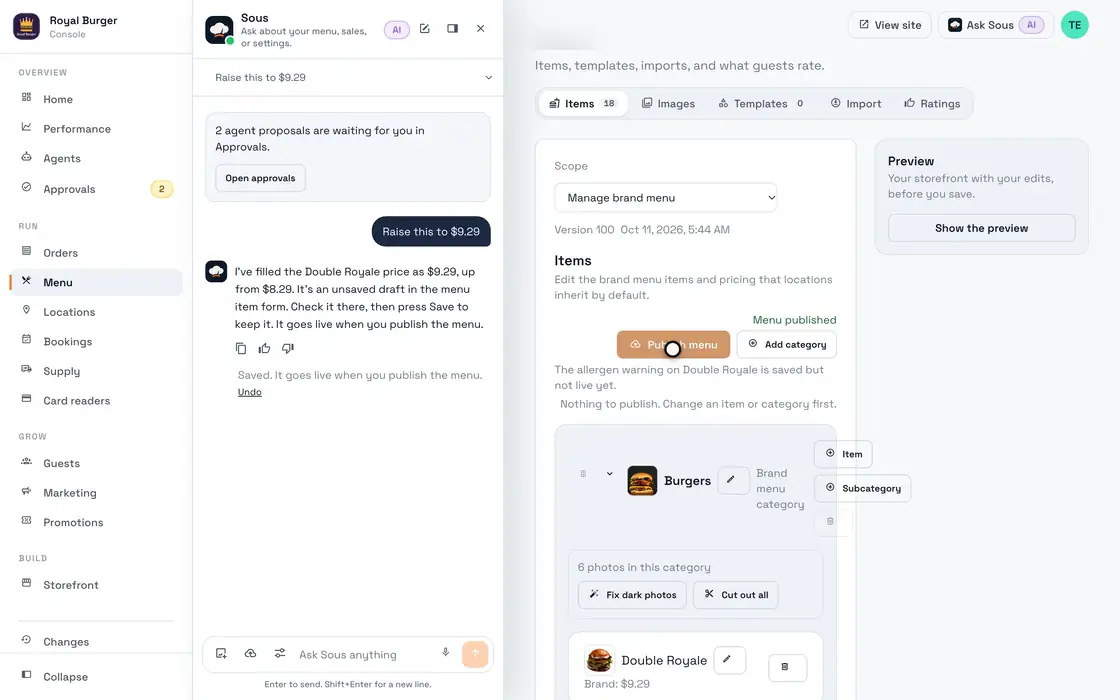
- Open Burgers
- Pick the Double Royale
- Ask Sous for the new price
- Save the price
- Publish where Sous points
Orders on Appetier POS, or on yours
Appetier POS is included in Growth. Keep your own POS and its menu and prices stay matched, with orders printed there when it accepts them.
Online ordering FAQs
Questions owners ask before moving regulars to direct ordering.
What is a restaurant online ordering system?
Can we keep our existing menu structure?
Can we set our own pickup and delivery rules?
Can we keep our current website and add online ordering to it?
Can we take pre-orders for a holiday or a limited menu?
Where do the suggested add-ons come from?
What happens to online orders when the kitchen is slammed?
Does online ordering work well on phones?
Do you charge commission on direct orders?
Can we launch at more than one location?
Fast on the phone your guests use
Slow pages lose orders on a phone. Our Royal Burger test store got these scores from Google Lighthouse, Google's page speed test. It ran on a slow phone connection on October 20, 2026.
- 100
- Performance
- 100
- Accessibility
- 100
- SEO
Choosing a direct ordering system
How setup works, how Appetier compares, and a free score for the site you have now.
02
Set up online ordering
What publishing needs, what the fee costs, and what a new storefront passes on day one.
See the setup guide03
Score any vendor before you sign
Twenty checks to run on a vendor's live customer sites, and the fee to ask for at your own sales.
See the buying guide04
Nine ordering systems, priced
What a month costs on Owner, ChowNow, Toast, Square, and five more at three sales levels, with who each one fits.
See the comparison05
Leaving GloriaFood
Oracle shuts GloriaFood down on April 30, 2027. What to export first, and what a month costs after.
See the GloriaFood checklist07
Score the site you have now
A free report on where your order button goes, then a private preview of your restaurant on Appetier.
Audit your website08
Conversion checklist
The steps where guests give up on an online order, and the fix for each.
See the conversion checklist09
Appetier vs ChowNow
Compare monthly plans, card fees, and how many guests you can market to.
See Appetier vs ChowNow10
Voice ordering for restaurants
How a spoken order reaches the cart, and what checks every line.
Read the explainer11
What DoorDash charges
The commission by plan, read from DoorDash's pricing page, and what it comes to at three sales levels.
See DoorDash fees12
What Uber Eats charges
The marketplace fee by plan, read from Uber's pricing page, and what it comes to at three sales levels.
See Uber Eats fees13
What Grubhub charges
The commission and delivery fee by plan, read from Grubhub's pricing page, at three sales levels.
See Grubhub fees
Nothing is charged until direct orders come in
No order carries a commission. Saving a card moves no money, and a month under $500 in direct sales is free.