
Quick service restaurants
QSR software that keeps the line moving, in the lane and at the counter
This QSR software takes curbside and drive-thru orders ahead, splits tickets by station, and keeps one menu across every unit.
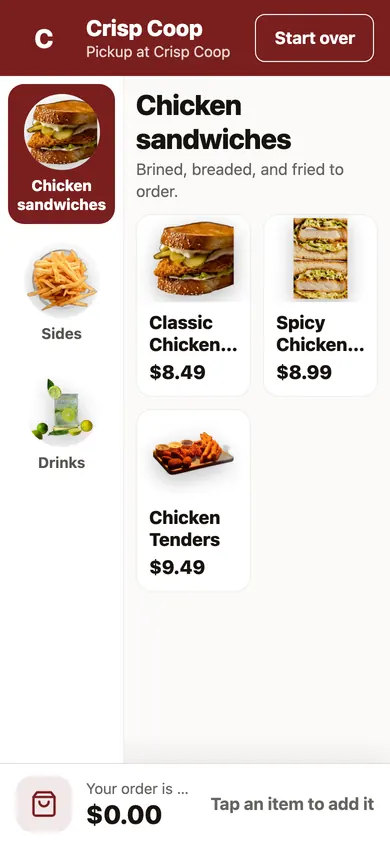
Speed is the product, and every handoff costs seconds
A quick service kitchen is judged in minutes. The time between the guest deciding and the bag leaving is where the sale is won or lost.
- A car idles in the lane while the order is still being typed.
- Guests wait on the curb and no one knows they arrived.
- The grill, the fryer, and the drink station all read the same long ticket.
- A lunch rush promises ten minutes and delivers twenty.
- A price change takes a week to reach every unit.
Orders that arrive finished, at every unit
Each tool here keeps a limit beside it, so the crew knows what it does and what stays manual.
01
Curbside with an arrival tap
Guests choose curbside at checkout and tap I'm here from their order page. There is no live location tracking, and arrivals show in the console, not on the kitchen tablet.
02
Order ahead for the lane
Guests order ahead for the drive-thru and tap I'm in the lane on arrival. This covers orders placed ahead, not orders taken at the speaker.
03
Tickets split by station
Name your prep stations, and each ticket splits so the grill and the fryer see only their own items. To print tickets, pair a tablet that is on your printer's network.
04
A kitchen display for every channel
Orders from every channel show as tickets on a tablet you own. A tap marks one ready.
05
Promised times that follow the rush
When tickets back up, new orders are promised a little later. You set how many minutes it may add and how long it may pause, and it tells you after.
06
Add-ons offered in one tap
The page suggests a drink, a side, and a dessert from what your own guests order together. Offers you set by hand show first, and you can turn the suggestions off.
07
Points at checkout
Guests join loyalty while they order and see their balance first. The reward comes off the same order.
From one unit to the whole chain
Start with the busiest unit, then add the rest.
01
Upload a logo and a menu photo
Appetier reads the menu off the photo and takes your colors from the logo. You check the draft and apply it.
02
Turn on curbside and the lane
Choose which pickup types the unit offers, and name the stations that make the food.
03
Save a card and publish
Publishing needs one priced item, a location set up to sell, and a saved card. Saving it moves no money.
Many units, one flat fee each
Each unit pays on its own direct sales, and the pages below hold the full rules.
01
No commission, at any volume
Growth is a flat monthly fee per unit by its direct sales. A unit under $500 owes nothing, and none pays past $199.
See pricing02
The menu across units
One change reaches every store, with hours and prep times set per unit.
See multi-location online ordering04
Regulars across the chain
One program spans the brand, and points earned at one unit count at the next.
See loyaltyYour menu, with a lane
Give the test drive your restaurant's website and it builds an ordering page in private. It is free and no one calls you. Without a site, start free with a logo and a photo of the menu.
Cards and the systems you already run
Guests pay on Appetier Pay, and standard payouts to your bank are free. Any PCI compliant processor you already use works too. If you ring up on Square, Clover, or Toast, connect it and your menu stays matched.
Quick service FAQs
What quick service and fast casual owners ask first.
What does a quick service restaurant pay for ordering?
How does curbside pickup work?
Can guests order ahead for the drive-thru?
Can the fryer and the grill see different tickets?
Can one menu serve many units?
Does the rush slow down the promised time?
More for a kitchen built on speed
Count the savings, and see the next kind of kitchen that shares your volume.
01
Cost per order worksheet
A worksheet for what each order costs you across channels.
Get the cost per order worksheet03
Direct order savings
A calculator for what a month of direct orders keeps.
Try the savings calculator
Shorten the wait between order and bag
Open curbside at your busiest unit this week.