ArtículosPOS flexibility · 11/27/2025 · 5 min de lectura

POS flexibility

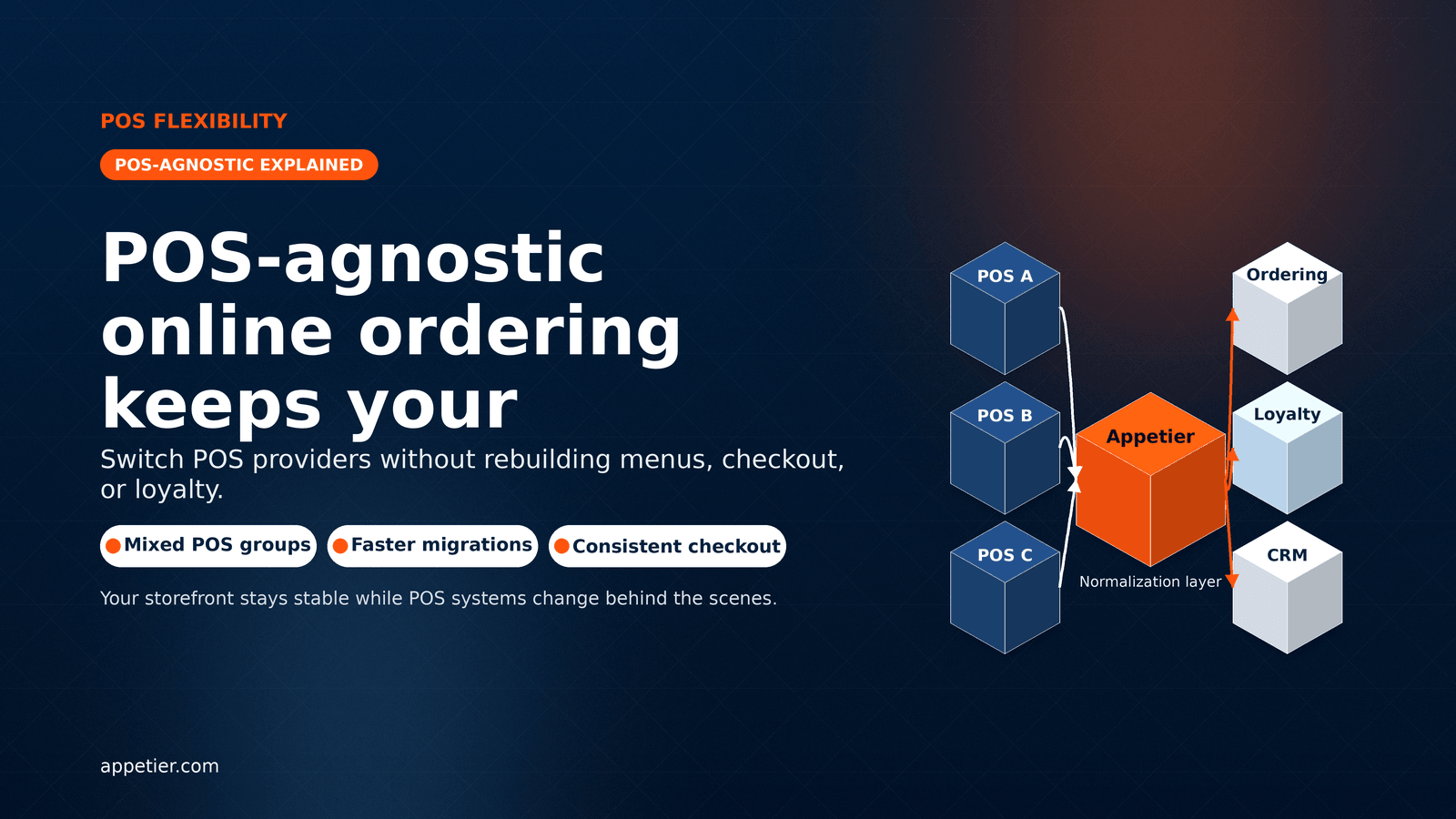
POS-agnostic ordering keeps your channels flexible

Switch POS providers without rebuilding menus, checkout, loyalty logic, or the guest experience that drives repeat orders.

Publicado: 11/27/2025Actualizado: 1/2/2026Tiempo de lectura: 5 min de lecturaPor Appetier TeamOperations
POS-Agnostic Online Ordering Explained: What It Means, Why It Matters, and What to Ask Vendors

Ideas clave

  • POS-agnostic ordering means your storefront and loyalty are not locked to one POS vendor.
  • It reduces migration risk for multi-location groups and franchises with mixed POS setups.
  • The real test is details: modifiers, taxes, throttles, prep times, and order injection back into the POS.
  • Appetier uses a normalization layer and modular connectors so the guest experience stays consistent while POS systems change behind the scenes.
pos-agnostic online orderingpos integrationpos syncpos migrationrestaurant operationsonline orderingmulti-location restaurants

What POS-agnostic online ordering actually means

POS-agnostic online ordering means your digital channels run above the POS, not inside it. You can connect different POS systems across locations, or change POS providers, without rebuilding your menu architecture, checkout UX, or loyalty program from scratch.

It does not mean “no POS integration.” It means your ordering experience and guest data are not held hostage by a single POS vendor’s ecosystem.

  • Keep one consistent ordering and loyalty experience across locations.
  • Add new locations even when they run different POS systems.
  • Reduce “rip and replace” rebuilds when you upgrade or change POS vendors.

Why POS-agnostic ordering matters for operators in 2026

Most operational pain comes from change: new locations, new concepts, acquisitions, POS upgrades, and staffing turnover. If your online ordering is tightly coupled to one POS, change becomes a rebuild.

POS-agnostic architecture turns change into configuration instead of replatforming.

  • Multi-location brands can standardize checkout and loyalty while POS varies by store.
  • Migrations become safer because the guest experience stays stable during the transition.
  • Operational rules (hours, throttles, prep times, fees) can stay consistent across channels.

The hidden failure modes of “POS-integrated” ordering

Many platforms claim POS support, but the important question is how deep the integration goes. The gaps usually show up in menu complexity, data accuracy, and what happens when something changes.

If your platform can’t handle these details, you end up with menu drift, refunds, and a guest experience that breaks at peak hours.

  • Modifiers and combos: partial support creates missing options, wrong pricing, and kitchen confusion.
  • Taxes and fees: inconsistent calculations cause guest complaints and reconciliation issues.
  • Prep times and throttling: if rules are not consistent, peak-hour ordering becomes chaos.
  • Order injection: if orders don’t flow cleanly back into the POS or kitchen flow, you add tablets and labor.

Vendor demo questions that reveal if a platform is truly POS-agnostic

Use these questions on every demo. They cut through marketing language and force a platform to show operational reality.

  • Menu sync: Is menu sync two-way or one-way? Do modifiers, combos, and availability stay accurate?
  • Order flow: Do direct orders inject into the POS without extra tablets? What happens during a POS outage?
  • Timing + capacity: Can we configure prep times, throttles, and order limits by location and daypart?
  • Fees + taxes: How are fees and taxes calculated, and can rules vary by location?
  • Guest ownership: Do we own guest data and can we export it cleanly? Is loyalty tied to the guest across channels?
  • POS change scenario: If we switch POS providers, what rebuild work is required, and what stays the same?

How Appetier stays POS-agnostic in practice

Appetier is designed so your storefront, loyalty, and CRM workflows remain consistent while POS systems vary underneath.

We do that through modular connectors and a normalization layer that translates POS data into a consistent catalog, rules engine, and order flow.

  • Normalize menu structure, modifiers, hours, and fee rules so channels behave consistently.
  • Keep checkout and loyalty logic stable across locations even when POS setups differ.
  • Inject orders back into supported POS systems or kitchen flows to reduce operational friction.

Quick checklist: switching POS without rebuilding your ordering experience

If you are planning a POS change (or adding a new POS at a new location), the goal is simple: keep the guest experience steady while you change the plumbing behind it.

  • Map your menu and modifier complexity before migration, including combos and pricing rules.
  • Confirm how availability, throttles, and prep times will be handled per location.
  • Run test orders end-to-end: checkout → confirmation → POS/KDS injection → reporting.
  • Validate accuracy across channels: menu, hours, fees, and taxes should match what guests see.
  • Launch with monitoring: watch order exceptions, refunds, and menu drift during the first 72 hours.

If your POS changes, your ordering should not

POS-agnostic online ordering protects your brand from rebuilds and keeps digital revenue stable through upgrades, expansions, and migrations.

If you want to see what POS-agnostic looks like in a live workflow, book a demo and we’ll walk through menu sync, order injection, and loyalty behavior end-to-end.

  • Explore POS sync: /pos-sync
  • Explore online ordering: /online-ordering
  • Book a demo: /contact

Artículos relacionados